

Home Design Software for Beginners Made Simple

Ever found yourself sketching your dream room on the back of a napkin? We've all been there. It’s one thing to have a vision, but it's another thing entirely to make it a reality. That's where home design software for beginners changes the game. Think of it as your personal digital sandbox—a place to knock down virtual walls, play with furniture layouts, and test out bold paint colors without spending a dime or lifting a hammer.
What Is Home Design Software, Anyway?

At its core, home design software is a tool that lets you build a digital model of a room, a floor plan, or even your whole house. Instead of just hoping that new sectional will fit, you can see exactly how it looks on your screen first. It’s all about making smart, confident decisions before you start the real work.
The market for this stuff is booming for a reason. Valued at around $5.91 billion in 2025, the interior design software industry is expected to jump to $9.66 billion by 2030. That growth is fueled by everyday people who want easy-to-use tools like RoomSketcher and Homestyler to bring their ideas to life. You can read more about this trend in a report from Grand View Research.
Making Design Easy for Everyone
Not too long ago, this kind of tech was reserved for architects and pro designers with expensive, complicated programs. Now? So many options are built for the rest of us, using simple drag-and-drop controls. For example, you can literally grab a digital sofa from a library of furniture and plop it into your virtual room to see if it fits between the window and the fireplace.
The real magic of home design software is how it turns fuzzy ideas into a concrete, visual plan. It’s the bridge between what’s in your head and what’s in your home.
These tools are incredibly handy for all sorts of projects. You don't have to be a homeowner to use them, either. They’re great for:
Mapping out furniture to make sure you can actually walk through your living room.
Trying out color palettes without painting a dozen swatches on your walls.
Seeing what flooring looks best, like whether to go with hardwood or carpet.
Designing a kitchen layout that’s actually functional before the renovation starts.
Bringing a Vision to Your New Home
These general design tools are fantastic for brainstorming. But what if you could apply that same power to a brand-new home? While the builder I represent provides high-quality homes, I go a step further—offering my clients unique customization tools, hands-on service, and access to visualizers that help you bring your dream space to life.
With my hands-on approach, you get to see exactly how your choices for flooring, countertops, and cabinets will look together in your specific home. This takes all the guesswork out of personalizing your space in our beautiful Maryland communities in White Marsh, Edgewood, Baltimore County, Harford County, and Prince George's County. It’s all about making sure the home you buy truly feels like you from the moment you move in.
How Home Design Software Actually Works
So, how does this digital magic really happen? At its core, home design software for beginners lets you build a "digital twin" of your space. Don't think of it as complex architectural software; it’s more like a super-smart video game for your home. The whole point is to make design visual, intuitive, and—believe it or not—fun.
The process usually kicks off with a 2D floor plan. This is just a simple, top-down map of your room. You can draw walls, pop in doors, and place windows to match your real-life measurements. It’s basically the modern version of sketching on graph paper, but way faster and without all the erasing.
From Blueprint to Realistic Model
Once you've got that 2D plan nailed down, the real fun begins. With a single click, you can flip it into a 3D model. All of a sudden, that flat map springs to life as a realistic, dollhouse-like version of your home that you can actually walk through. This is where you get a genuine feel for the space and how it flows.
Most tools made for beginners run on a simple drag-and-drop system.
Thinking about a new sofa? Just grab one from the furniture library and see how it looks.
Will a king-size bed fit? Drop it into the bedroom and check the clearance.
Curious about a different paint color? Click a wall and instantly try on a new shade.
This hands-on approach takes all the guesswork out of the equation. Instead of just wondering, you can see exactly how your choices will look and feel, helping you make smart decisions before you spend a dime or lift a paintbrush.
The Power of Cloud-Based Tools
A huge reason this technology is so accessible now is the move to cloud-based platforms. Instead of needing a monster computer and special training, you can just open a web browser. Cloud-based deployment is now the go-to model for beginner software, with major players like Homestyler and SketchUp Free offering instant access with no downloads needed—a huge plus for first-timers. For a deeper dive, the latest interior design software market analysis covers this trend.
The real job of these tools is to turn your "what if" questions into visual answers. "What if that accent wall was navy blue?" or "What if we moved the dining table over here?" In seconds, you know.
This visual, hands-on process is incredibly powerful. As part of my service, I see the confidence it gives people every single day. While general software is great for brainstorming, my clients in communities across Baltimore County and Harford County get to use specialized visualizers. These tools let them experiment with the actual flooring, countertops, and cabinets available for their new home. You can read more about how virtual design tools are changing the homebuying experience on our blog. It’s this exact principle of seeing it before you commit that helps you create a home you’ll truly love.
What Features Should I Actually Look For?
Jumping into home design software for the first time can feel like trying to find a specific screw in a giant hardware store. There are a million tools, but which ones do you really need? Many programs are loaded with features for professional architects, which is just overkill for most of us.
Let's cut through the confusion. The best software for a beginner isn't the one with the most buttons; it's the one that feels like an extension of your own creativity right from the start.
Drag-and-Drop Simplicity
This one is non-negotiable. A good drag-and-drop interface is the single most important feature for anyone new to this. Think of it like playing with a dollhouse—you just grab a sofa, table, or window from a menu and place it right on your floor plan.
No weird commands, no x-y coordinates to memorize. If you can move a file on your computer desktop, you've got this. It’s visual, it’s intuitive, and it makes the whole process feel more like a fun game than a technical chore.
Easy 2D and 3D View Switching
The ability to flip between a 2D blueprint and a 3D walkthrough is a game-changer. Here's why you need both:
2D View: This is your bird's-eye view, the flat blueprint. It's perfect for the practical stuff—getting measurements right, making sure you have enough walking space, and nailing the basic layout.
3D View: This is where your vision comes to life. It gives you a real-world perspective, letting you feel the scale of the room and see how furniture pieces actually vibe together.
Bouncing between these two views lets you plan with the precision of a blueprint and then instantly see how it feels in 3D. It’s how you catch a design flaw—like a coffee table that's way too chunky for the room—before you spend any actual money.
A Big Library of Furniture and Finishes
Your design tool is only as good as the stuff you can put into it. A huge library of furniture, decor, and materials is an absolute must. You want a massive sandbox to play in, with plenty of sofas, chairs, light fixtures, and rugs to experiment with.
It's not just about furniture, either. Look for software that lets you play with materials. You should be able to swap out flooring from hardwood to carpet or test-drive a dozen wall colors with a single click. This kind of realistic visualization is why 3D interior design software now dominates over 56% of the market's revenue share. People want to see and feel their space digitally. You can get a deeper look at this trend by checking out the market analysis on Mordor Intelligence.
This infographic really nails down what to prioritize when you're making a choice.

As you can see, the sweet spot is where ease of use, creative tools, and a reasonable price all meet.
Templates and Realistic Previews
Sometimes, a blank page is the most intimidating part of any project. That’s where pre-made templates come in handy. They give you a starting point—like a fully designed living room layout—that you can then tweak and customize to match your own style. It's a fantastic way to learn the ropes without feeling totally lost.
Finally, look for realistic rendering. This feature creates a high-quality, photorealistic image of your design. It shows you how the morning light from a window will hit your new armchair or how different paint colors look at night. It’s the closest you’ll get to seeing the finished room without lifting a paintbrush.
To help you sort through what's truly necessary, here’s a quick checklist.
Beginner-Friendly Feature Checklist
When you're comparing different programs, it helps to know what's a core necessity versus what's just a "nice-to-have" bell or whistle. This table breaks it down.
Feature | Why It's Essential for Beginners | Is It a Must-Have? |
|---|---|---|
Drag-and-Drop Interface | Makes arranging furniture intuitive and visual, removing the technical barrier. | Absolutely |
2D/3D View Toggling | Lets you plan layouts accurately (2D) and visualize the final look (3D). | Absolutely |
Large Object Library | Gives you plenty of creative options for furniture, decor, and appliances. | Absolutely |
Material/Color Customization | Essential for visualizing how different textures and paints will look in your space. | Absolutely |
Pre-Made Templates | Provides a great starting point and helps you learn the software's capabilities. | Highly Recommended |
Realistic Rendering | Creates photorealistic images to help you make final decisions with confidence. | Nice to Have |
Advanced CAD Tools | Used for detailed architectural plans. Complete overkill for a beginner. | Not Needed |
Collaboration Features | Useful for pros working in teams, but not a priority for personal projects. | Not Needed |
Focusing on the "Absolutely" and "Highly Recommended" features will ensure you get a tool that empowers you, not frustrates you.
By keeping an eye out for these core features, you’ll find a tool that helps you bring your vision to life confidently. You’ll be able to make smarter decisions, avoid common mistakes, and create a space that feels just right.
For more tech-savvy inspiration, take a look at our roundup of the top 12 best home renovation apps for your dream space.
Starting Your First Home Design Project
Alright, you've got the ideas swirling in your head. Now it's time to make them real. Firing up home design software for the first time can feel a little intimidating, but trust me, it's not about becoming an architect overnight. It’s all about taking that first step and building a little confidence.
Let’s walk through the process together. It’s simpler than you think.

Think of it like following a recipe for the first time. You wouldn’t just start throwing ingredients in a bowl, right? You’d get everything measured and ready. In design, your room's measurements are your ingredients, and these steps are your recipe for creating a digital space you'll love.
Step 1: Measure Your Room (The Right Way)
Before you click a single button, you need the real-world dimensions of your space. This is non-negotiable. Grab a tape measure and a notepad, because getting this right from the start will save you a world of headaches later. There’s nothing worse than designing a layout only to find out the sofa you picked won’t actually fit.
Here’s your measurement checklist:
Wall Lengths: Go corner to corner for each wall.
Ceiling Height: Measure from floor to ceiling.
Doors and Windows: Get their width and height, but also—and this is important—measure how far they are from the nearest corner.
Permanent Fixtures: Anything you can't move, like a fireplace, built-in shelves, or radiators, needs to be measured and located.
Jot all these numbers down. You'll plug them into the software to create the digital "shell" of your room, which is the foundation for everything else you do.
Step 2: Create Your Basic 2D Floor Plan
Once your dimensions are in, the software will generate a 2D, top-down view of your room. This is your digital blueprint. Now, you’ll start adding the big structural pieces using the program's drag-and-drop tools. It’s usually as simple as grabbing a door icon from a library and plopping it onto the wall where your real door is.
Do the same for your windows. This step is about more than just placing objects; it’s about understanding the flow of the room and where your natural light is coming from. If you want to get a better handle on this, our guide on how to read house blueprints is a great resource for understanding how the pros lay things out.
Step 3: Add Furniture and Play with Layouts
This is where the magic happens. Flip over to the 3D view and start bringing your room to life. Most programs have huge libraries packed with everything from sofas and beds to lamps and rugs.
Practical Example 1: The Functional Family Living Room For a living room that gets a lot of traffic, flow is everything. Start with your biggest piece—usually the sofa—and place it first. Then, add the other big items like a coffee table or media center.
The goal isn't just to fill the space; it's to create clear pathways. A good rule of thumb is to leave at least 3 feet of clearance for main walkways so nobody’s tripping over furniture.
Don’t be afraid to experiment! What happens if you put the sofa against the other wall? What if it faces the window instead of the TV? Just drag it and see. This is the beauty of digital design—you can test a dozen layouts without breaking a sweat.
Practical Example 2: The Cozy Bedroom Retreat In a bedroom, the bed is king. Place it first, usually against the main wall opposite the door. From there, you can add nightstands, a dresser, and maybe a comfy chair for a reading nook. A smart layout can make even the smallest bedroom feel like a peaceful sanctuary.
Step 4: Splash on Some Color and Texture
With your furniture arranged, it’s time to give the room some personality. This is the step that makes it all feel real. Start playing with wall colors. See what a dramatic accent wall looks like, or test out a few different calming neutrals.
Most home design software for beginners also lets you swap out flooring in a click. See how the vibe changes when you switch from dark hardwood to light, plush carpeting. You can even change the upholstery on your furniture to see if that leather sofa really works with your vision. This is what transforms a sterile floor plan into a vibrant, personal design that truly feels like your home.
Bring Your Vision to Life in a New Home
Playing around with home design software for beginners is a great way to get your feet wet. It’s perfect for getting a feel for layouts, seeing which colors work together, and understanding how big that sofa really is. But what happens when you’re done practicing and ready to personalize a real home? How do you take those fun ideas and apply them to choosing the permanent finishes for a new house?
That's where things can get a little nerve-wracking. Let's be honest, trying to imagine how a tiny 4x4 tile sample will look across an entire kitchen backsplash is tough. It’s a leap of faith, and that’s why I offer my clients something much more direct.
See Your Selections in a Virtual Space
As your partner in this homebuying journey, I give you access to visualization tools that show you your actual selections in your home's exact floor plan—long before the first nail is hammered. Forget guessing. You can see precisely how that specific granite countertop pairs with the shaker cabinets you love. You can swap out different hardwood floors in your future living room with a click.
This completely takes the anxiety out of the design process. It closes the gap between a blueprint on a screen and the stunning reality of your finished home.
This hands-on service, available for our new homes in communities across Maryland—including White Marsh, Edgewood, Baltimore County, Harford County, and Prince George's County—allows you to confidently personalize your space, ensuring the home you move into truly reflects your unique style.
Making Confident Design Choices
My goal is to put you in the driver's seat so you can make decisions you feel great about. Once you've locked in those big, foundational finishes, you can start having fun thinking about furniture and decor. A great next step is to explore some clever [small room layout ideas](https://vividskylights.com.au/small-room-layout-ideas/) to maximize every square foot.
This focused approach makes sure the most important design elements—the ones literally built into your home—are perfect from the start. You become the designer, armed with the right tools to make your vision a reality. It's the best way to ensure that from the moment you get the keys, your new house already feels like home.
Ready to see how it works? Take a look at some of our [available floor plans for new homes in Maryland](https://www.customizeyourhome.com/floor-plans-new-homes-maryland) and start imagining what you could create.
Common Beginner Mistakes to Avoid
Jumping into home design software is a blast, but it's really easy to get carried away and stumble into a few common traps. Think of this as a bit of friendly advice from someone who’s seen it all—these tips will help you create designs that look good on screen and actually work in real life.
Honestly, learning from other people's mistakes is the fastest way to get your project on the right track from the very beginning.
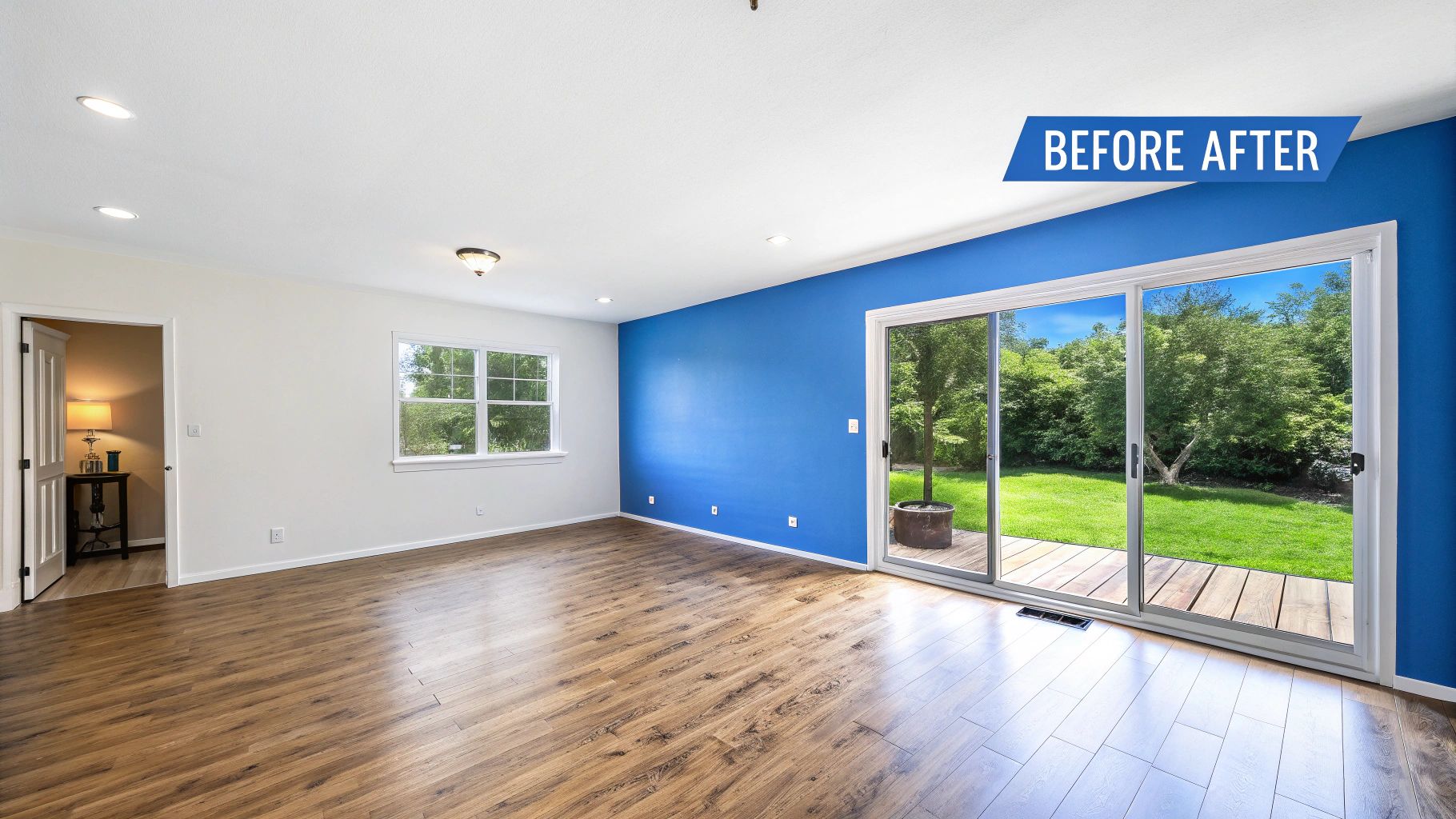
Forgetting About Real-World Measurements
The single biggest mistake you can make is starting with bad measurements. A design built on guesswork is just a pretty picture, not a workable plan. Before you even think about dragging a virtual sofa into place, you absolutely need the exact dimensions of your room, including where every door, window, and outlet is located.
A design that's off by even a few inches can completely derail your project. That "perfect-fit" sofa you found online? In reality, it might block a doorway or awkwardly overlap a window frame.
Do yourself a huge favor and measure everything twice. This simple step is what turns your digital plan into a reliable blueprint for your real-world space.
Ignoring How People Move
A beautiful room that you can’t walk through comfortably is a failure. One of the classic rookie blunders is forgetting to plan for foot traffic. Your layout has to include clear, logical pathways so people can move around without constantly bumping into furniture.
Here are a few good rules of thumb to keep in mind:
Main Walkways: Aim for at least 36 inches of clear space for major routes, like from the living room entry to the kitchen.
Around Furniture: You'll want about 18 inches between a coffee table and a sofa to give you enough legroom to sit down without a struggle.
The Kitchen 'Work Triangle': In the kitchen, the paths between the sink, stove, and refrigerator should form an easy-to-navigate triangle. This keeps you from tripping over yourself while you cook.
Choosing Furniture at the Wrong Scale
Have you ever walked into a room and been greeted by a massive, oversized sofa crammed into a tiny space? That's a classic scale mistake. It’s not just about whether the furniture physically fits; it’s about whether it looks proportionally right for the room.
This is where software is a game-changer. The second you drop a giant sectional into your 3D model of a small den, you'll immediately see how it swallows the room whole and makes it feel cramped. Always think about the size of your furniture in relation to the size of the room itself.
I guide my clients through this all the time using visualizers for our new homes in communities from White Marsh to Edgewood. These tools let you see how actual finish selections look together, making sure every choice—from countertops to flooring—fits the scale and style of your home perfectly. It’s how we ensure the vision in your head translates beautifully to the real world. If you're ready to start personalizing your own space, I'd be happy to show you how our design tools can bring your new Maryland home to life.
Got Questions About Home Design Software? We've Got Answers.
Jumping into the world of home design software for beginners can feel a little intimidating, and it’s natural to have a few questions. You might be wondering how long it takes to learn, or if your laptop is up to the task. Let's tackle some of the most common questions so you can get started with confidence.
Think of it like learning a new board game. The rulebook might look complicated at first, but after a round or two, everything starts to click. That’s exactly how it feels to use one of these beginner-friendly design tools.
What’s the Learning Curve Like for These Tools?
Honestly, for the software aimed at beginners, the learning curve is surprisingly gentle. Most of these programs are built around a simple drag-and-drop system, which feels second nature to most people. If you can drag a file into a folder on your computer, you've already got the basic skills to place a virtual sofa in a living room.
You can probably get the hang of the basics—like drawing walls and dropping in furniture—in just a few hours of playing around. A common estimate for user-friendly programs suggests that you could create a pretty detailed room layout after just a couple of hours to a few days of casual use. It's really all about experimenting and having fun with it.
Do I Need a Super-Powerful Computer?
Not at all! This is a huge misconception that keeps a lot of people from even trying. While professional architects use heavy-duty software that requires a beast of a machine, most of the tools for beginners are cloud-based. That just means they run inside your web browser, so the software company's servers are doing all the hard work, not your computer.
Basically, if your computer can handle streaming a video on YouTube or Netflix without buffering, it can almost certainly handle a program like Homestyler or Floorplanner. This is one of the main reasons these tools have become so popular for everyday home projects—they're incredibly accessible.
How Can I Show My Design to Other People?
Once you’ve cooked up a design you’re proud of, sharing it is usually dead simple. Most platforms give you several easy ways to export your work so you can show it to your family, a friend, or even a contractor.
You'll typically find a few common sharing options:
Export as an image: This lets you save your 2D floor plan or a 3D rendering as a simple JPEG or PNG file.
Generate a shareable link: Many tools will create a unique web link that you can send to anyone, allowing them to view your project right in their browser.
Print to PDF: You can also create a high-quality PDF of your layout, which is perfect for printing out or attaching to an email.
This feature is a game-changer for getting your ideas across clearly. When you can show someone a picture of exactly what you mean, it cuts through so much confusion and gets everyone on the same page.
For my clients buying new homes in communities like White Marsh or throughout Baltimore and Harford County, this is absolutely essential. The visualizer tools I provide help you lock in your selections for finishes like countertops and flooring, giving us a clear blueprint to bring your personalized home to life. It’s how we turn your vision into a beautiful reality.
Ready to stop dreaming and start designing? As part of my service, I offer hands-on guidance and powerful visualizer tools to help you personalize every corner of your new home in Maryland. Explore our communities and see just how easy it is to create a space that’s uniquely yours.
Comments